TikTok LIVE Studio Problems: The Most Common Errors and How to Fix Them
In short
Most problems in TikTok LIVE Studio have simple causes. A black screen usually comes from a wrong link or a minimised window. Stutter comes from too much load or a tight upload. Double sound happens when two sources capture the same audio. If gifts don’t arrive in the game, the game isn’t connected to your LIVE.
- Black screen: regenerate the game link or don’t minimise the window.
- Stutter: hardware encoder, lower bitrate, LAN instead of Wi-Fi.
- Double sound: mute one source.
- No gifts: go LIVE first, then connect in the Control Center.
Contents
Quick help: problem and fix
| Problem | Most common cause | Fix |
|---|---|---|
| Black or empty picture (link source) | Wrong or expired link | Regenerate the game link in the Control Center and replace it |
| Black picture (window capture) | Window minimised, or the Mac permission is missing | Keep the window open, allow screen recording |
| Game freezes when switching scenes | “Keep active” is off | Switch it on in the link source |
| Picture stutters, dropped frames | CPU load or upload too high | Hardware encoder, lower bitrate, LAN cable |
| No game sound | Source muted or too quiet | Check the volume at the source and in the Control Center |
| Double sound or echo | Two sources capture the same audio | Mute one source |
| Gifts don’t arrive | Game not connected, wrong name | Go LIVE first, then “Connect”, name without @ |
| Menus and Control Center in the stream | Browser address instead of game link | Use the game link from the Control Center |
| Picture too small or with a border | Source not fitted | Select the source, choose “Fit” |
Black screen in LIVE Studio
A link source only loads https links, and the game link must be valid. Regenerate it in the Control Center and replace it in the source. With window capture, the picture turns black as soon as the window is minimised. On a Mac, LIVE Studio also needs permission to record the screen, see TikTok LIVE Studio on Mac.
LIVE Studio stutters or drops frames
Look at the stats below the preview. If CPU load is high, switch to a hardware encoder or lower the FPS. If dropped frames climb, your upload isn’t enough: lower the bitrate, use a LAN cable and stop downloads and cloud sync. With 3D games, switching from link source to window capture often helps. All values are explained in TikTok LIVE Studio Settings.
No sound or double sound
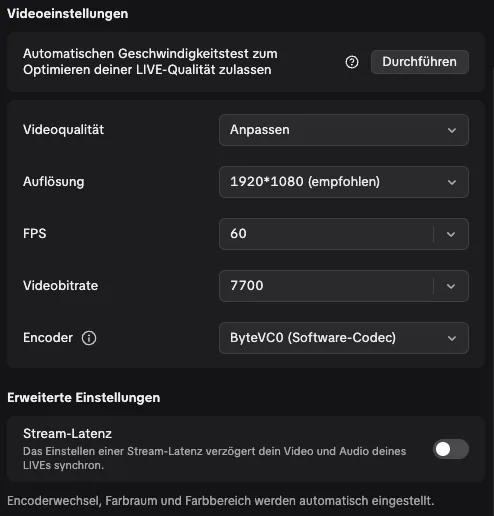
You control game sound in two places: in the game’s Control Center and at the source in LIVE Studio. If either is at zero, your viewers hear nothing. Double sound or an echo happens when LIVE Studio captures the audio twice, for example via the link source and again via screen capture. Then mute one source. Before your LIVE, speak loudly once and trigger an action: your voice should sit clearly above the game.
Gifts don’t arrive in the game
The game only reacts when it’s connected to your LIVE. Go LIVE first, then press “Connect” under “Connection” in the Control Center, and only then start the game. Enter your TikTok name without the @. Reconnect every time you switch games. You can check in the simulator beforehand that every action is mapped correctly.

LIVE Studio crashes or won’t start
Update LIVE Studio and your operating system, restart your computer and close programs that also use the camera or microphone. If that doesn’t help, remove recently added sources one by one to find the trigger. If you can’t go LIVE at all, check your access: TikTok LIVE Studio Not Unlocked.
Checklist before every LIVE
- Game source fills the whole frame, no menus visible
- A test gift from the simulator shows up in the preview
- Game and microphone sound are balanced, no echo
- CPU load and dropped frames are in the green
- Game link isn’t visible anywhere in public
Games for your LIVE


Frequently asked questions
Why does TikTok LIVE Studio only show a black screen?
With a link source, the link is usually wrong or expired. With window capture, the window is minimised or, on a Mac, the screen recording permission is missing.
What can I do when TikTok LIVE Studio stutters?
Choose a hardware encoder, lower bitrate and FPS, use a LAN cable and close unneeded programs. With 3D games, window capture often helps.
Why can’t my viewers hear the game sound?
The sound is muted or too quiet at the source in LIVE Studio or in the game’s Control Center. Check both.
Why doesn’t the game react to gifts?
The game isn’t connected to your LIVE. Go LIVE first, then press “Connect” in the Control Center and enter your TikTok name without the @.